๐Ÿ“š Help Center ยท Delivery Pro

How can we help you?

Everything you need to know about tracking earnings, filing taxes, and maximizing your income as a delivery driver.

๐Ÿš€

Getting Started

Setup & first steps

๐Ÿš—

Sessions

Track shifts & miles

๐Ÿงพ

Expenses

Log & deduct costs

๐Ÿงฎ

Offer Evaluator

Is this order worth it?

๐Ÿ“Š

Taxes & Reports

Schedule C & IRS

๐Ÿค–

AI Copilot

Smart tips

๐Ÿš™

Vehicles

MPG & wear cost

๐Ÿ“

Mileage

Auto GPS tracking

๐Ÿ“„

Reports

Export & share

๐Ÿ’ฌ

Contact Us

Email support

App Screenshots

๐Ÿš€

Getting Started

What is Delivery Pro?
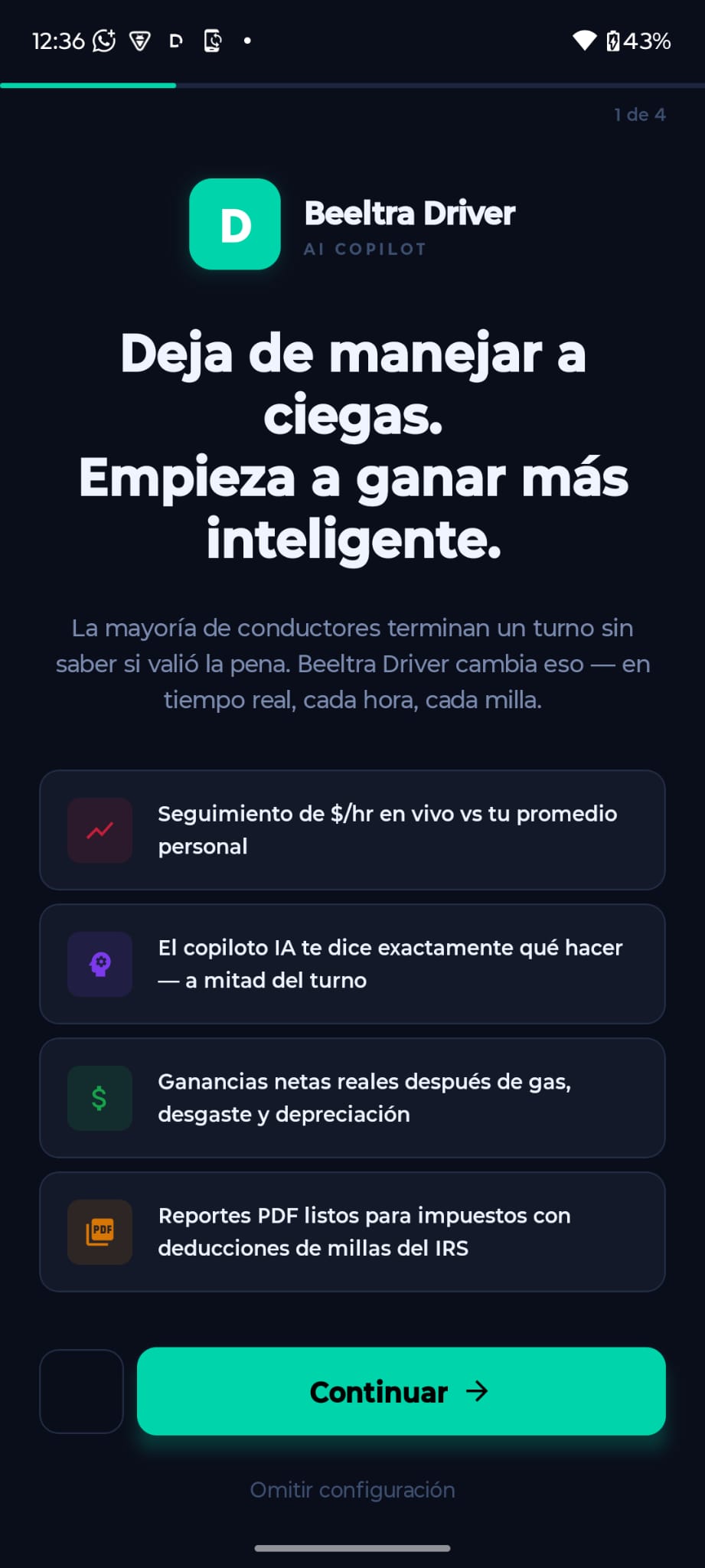
Delivery Pro is an AI-powered earnings tracker built for gig delivery drivers (DoorDash, Uber Eats, Instacart, Amazon Flex, Spark, and more). It automatically tracks your miles, calculates your real net income after fuel and taxes, and prepares your data for tax season โ€” all in one app.
How do I create an account?
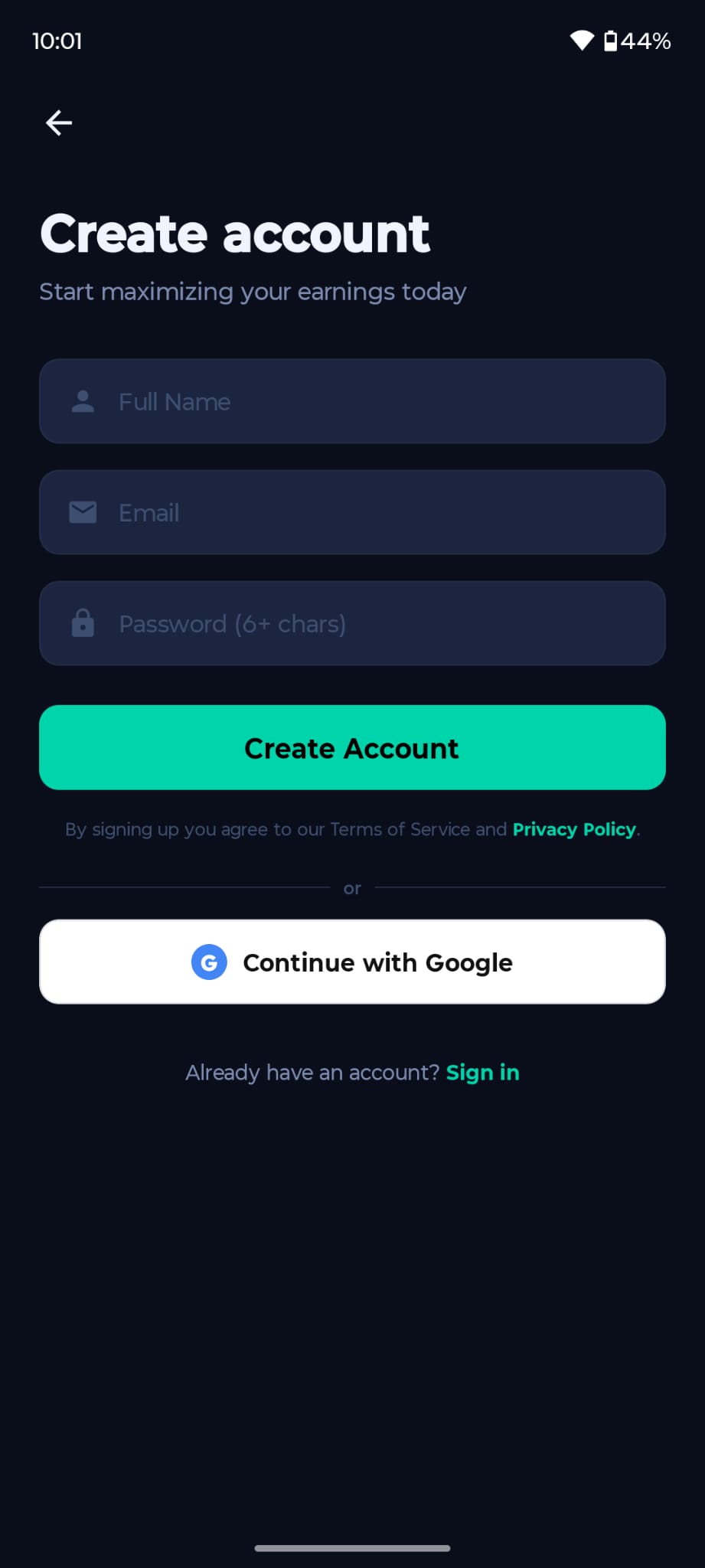
Open the app โ†’ tap Sign Up โ†’ enter your name, email and password, or sign in with Google in one tap. After verifying your email you'll be taken through a quick onboarding to add your vehicle.
How do I add my vehicle?
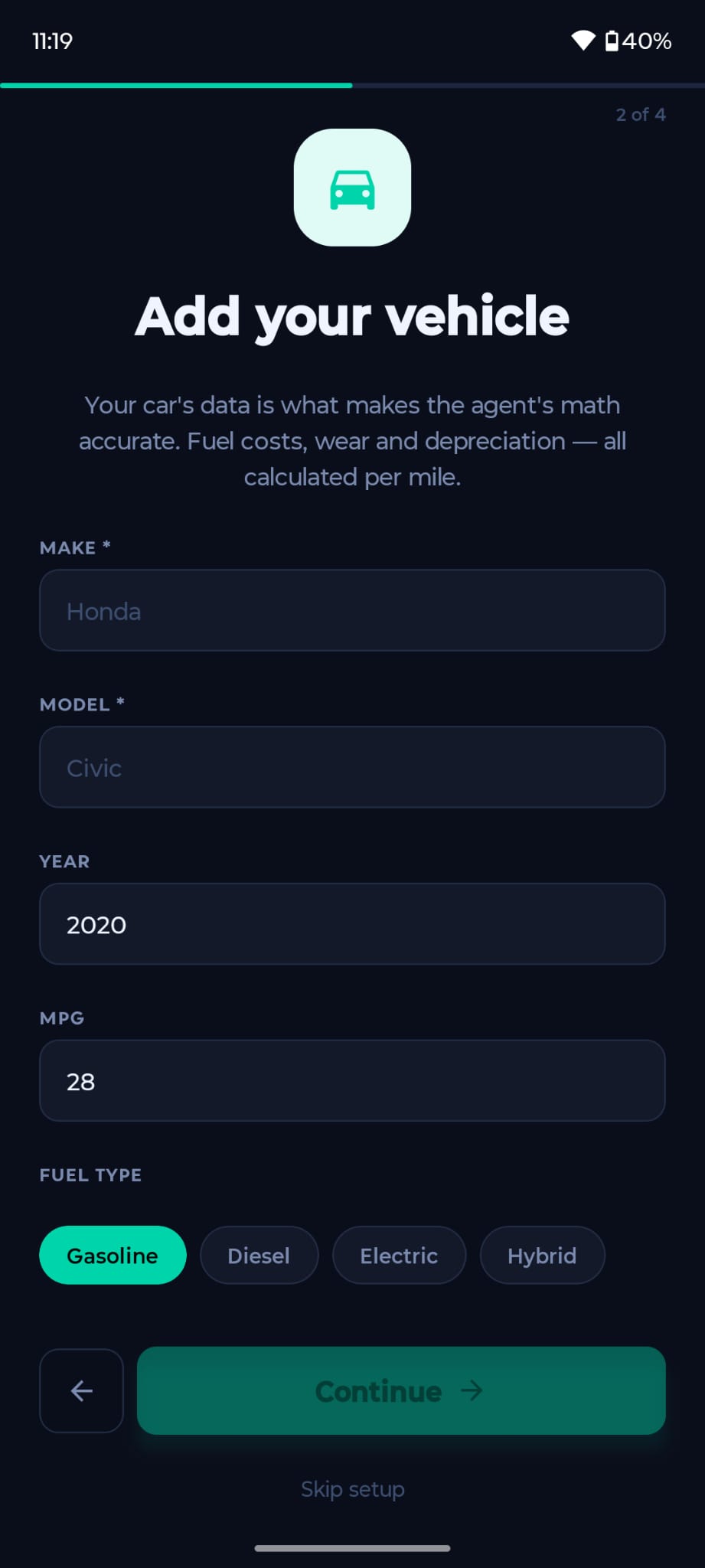
Go to Settings โ†’ Vehicles and tap Add Vehicle. Enter your make, model, year, and MPG. This is used to calculate your real fuel costs and depreciation per mile. You can add multiple vehicles.
Which platforms are supported?
DoorDash, Uber Eats, Instacart, Amazon Flex, Grubhub, Shipt, Spark Driver, Walmart+, and more. You can log earnings from multiple platforms within the same shift.
Does the app work without internet?
Yes. All data is saved locally first and synced to the cloud when you reconnect. You will never lose data due to a lost signal during a shift.
Create Account Add Vehicle Guide Ready
๐Ÿš—

Sessions & Mileage Tracking

How do I start a shift?
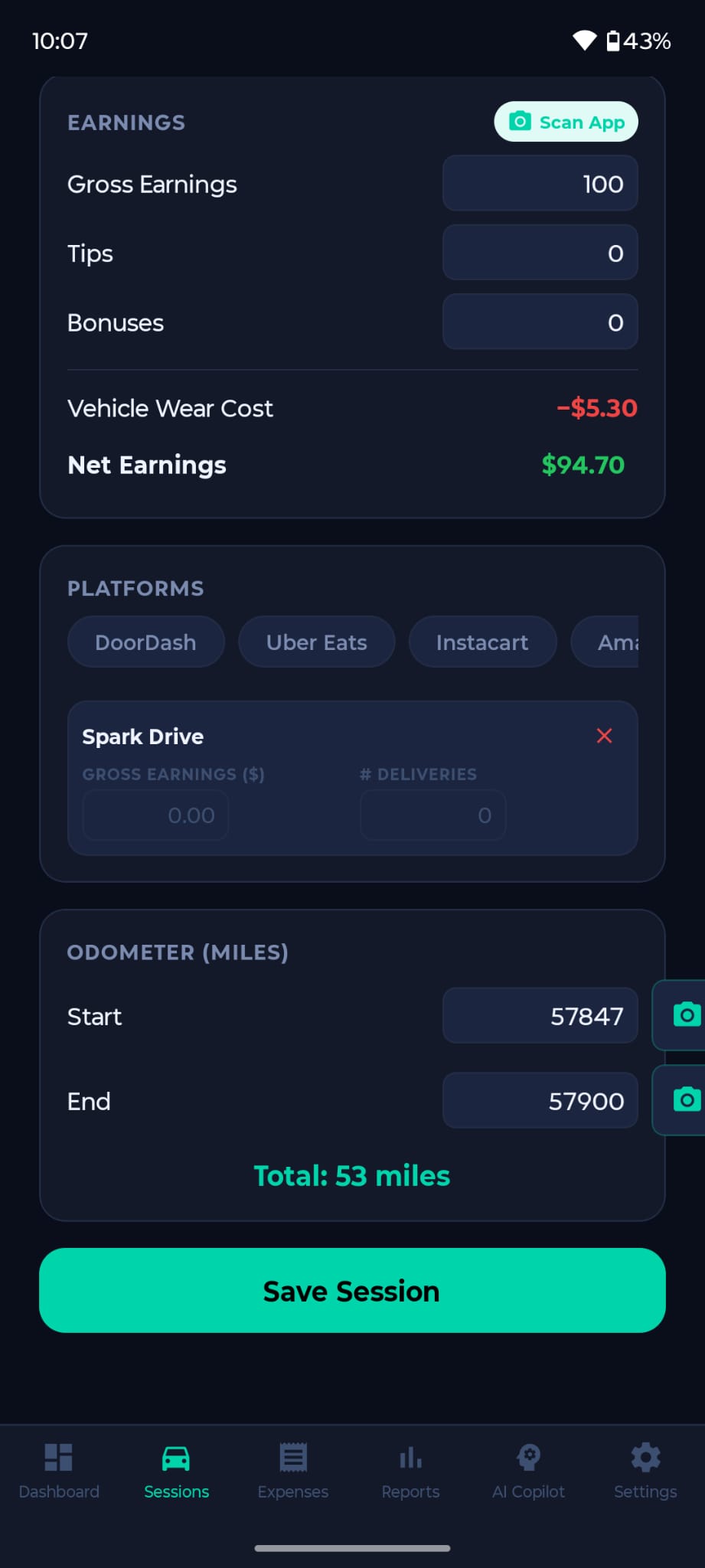
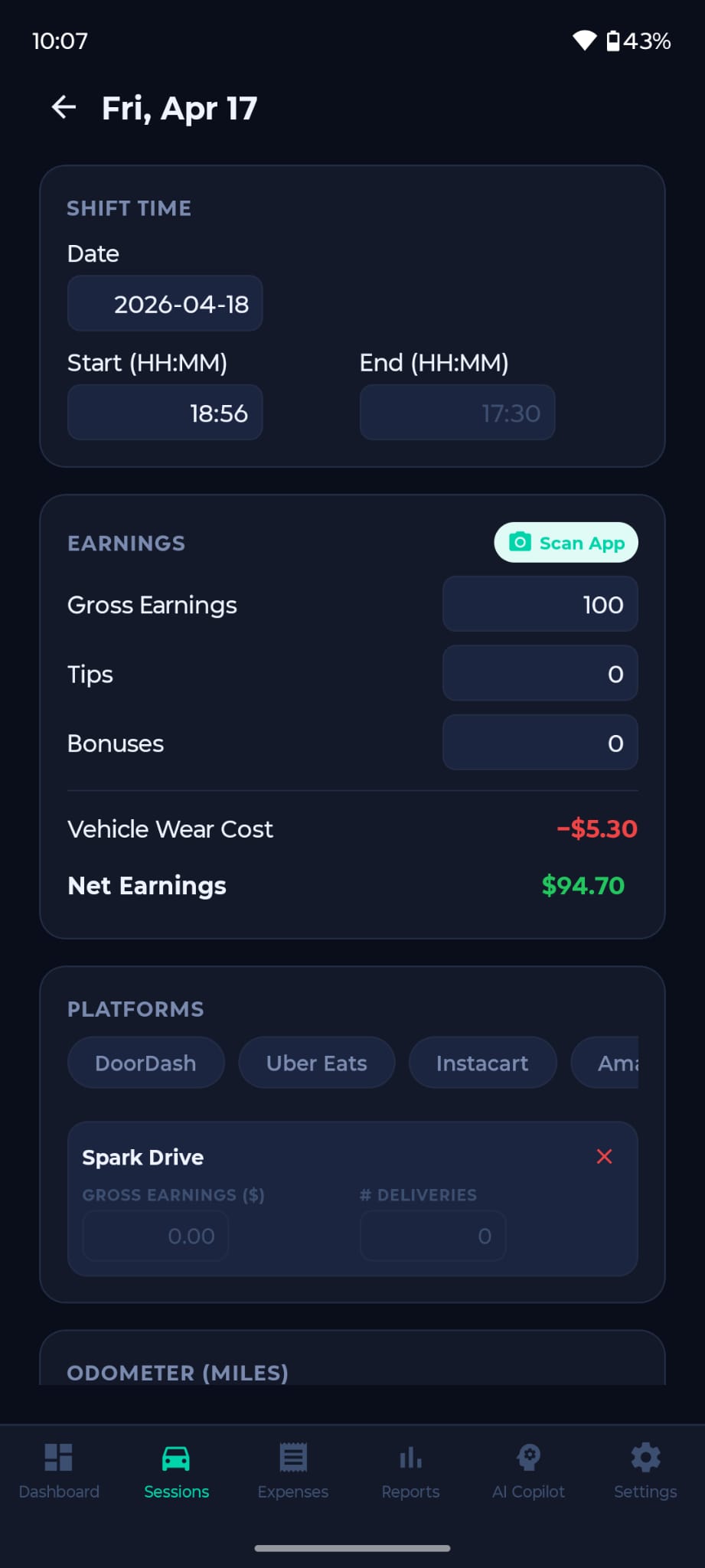
Tap the Sessions tab โ†’ Start Shift. The app asks you to photograph your odometer โ€” this is your IRS mileage documentation. Once started, location tracking runs in the background to count miles automatically.
๐Ÿ’ก Always take the odometer photo โ€” it's your proof in case of an IRS audit.
How do I log earnings during a shift?
During an active shift tap Log Earnings. Enter the platform, base pay, tip, and bonuses. You can log multiple orders โ€” just tap after each delivery. The app also shows your Vehicle Wear Cost and real Net Earnings live.
How do I end a shift?
Tap End Shift. Enter your ending odometer reading, confirm total miles, and tap Save Session. Your $/hr, total miles, and net income are saved automatically.
Can I edit a session after ending it?
Yes. Go to Sessions โ†’ tap any completed session โ†’ Edit. You can adjust earnings, miles, platform, and notes. All changes sync automatically.
Log Session Shift Detail
๐Ÿงพ

Expenses & Deductions

What expenses can I deduct as a delivery driver?
As an independent contractor you can deduct:

Vehicle: Fuel, oil changes, tires, repairs, insurance, registration
Work tools: Phone plan/data, phone mount, insulated bags
Other: Parking, tolls, car washes

Note: If you use the IRS standard mileage rate you cannot separately deduct fuel or depreciation โ€” those are already included.
How do I log an expense?
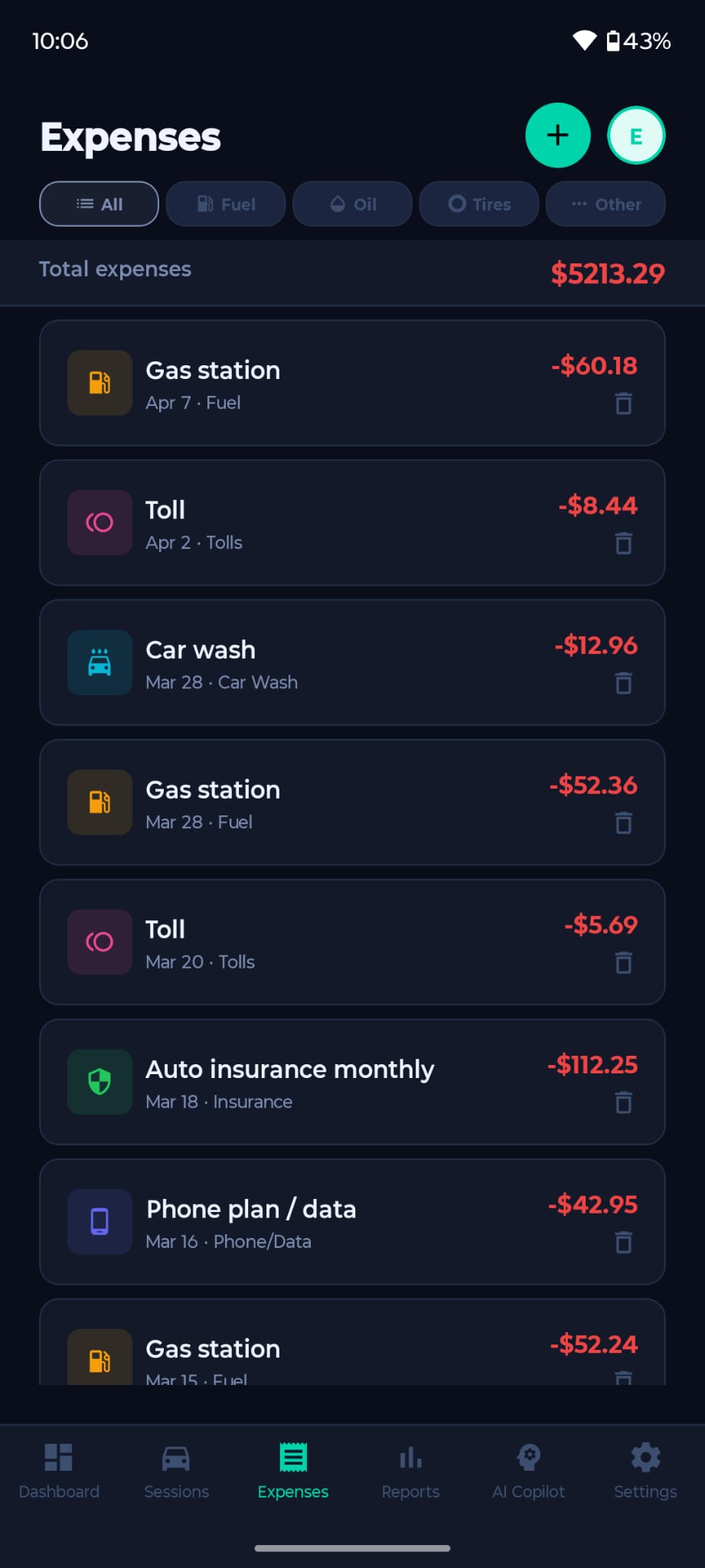
Go to the Expenses tab โ†’ tap the + button. Select the category (Fuel, Insurance, Tolls, etc.), enter the amount and date. Filter by category at the top to review specific costs.
IRS mileage rate vs. actual expenses โ€” which is better?
IRS Standard Mileage ($0.67/mi 2024): Simpler. Covers fuel, depreciation, and wear in one rate. Best for most drivers.

Actual Expense Method: Track every cost individually. Can be larger if your car has high costs, but requires more record-keeping.

You must choose one per vehicle per year. Delivery Pro's AI compares both and recommends the better option. (Premium)
Expenses Screen
๐Ÿงฎ

Offer Evaluator

What is the Offer Evaluator?
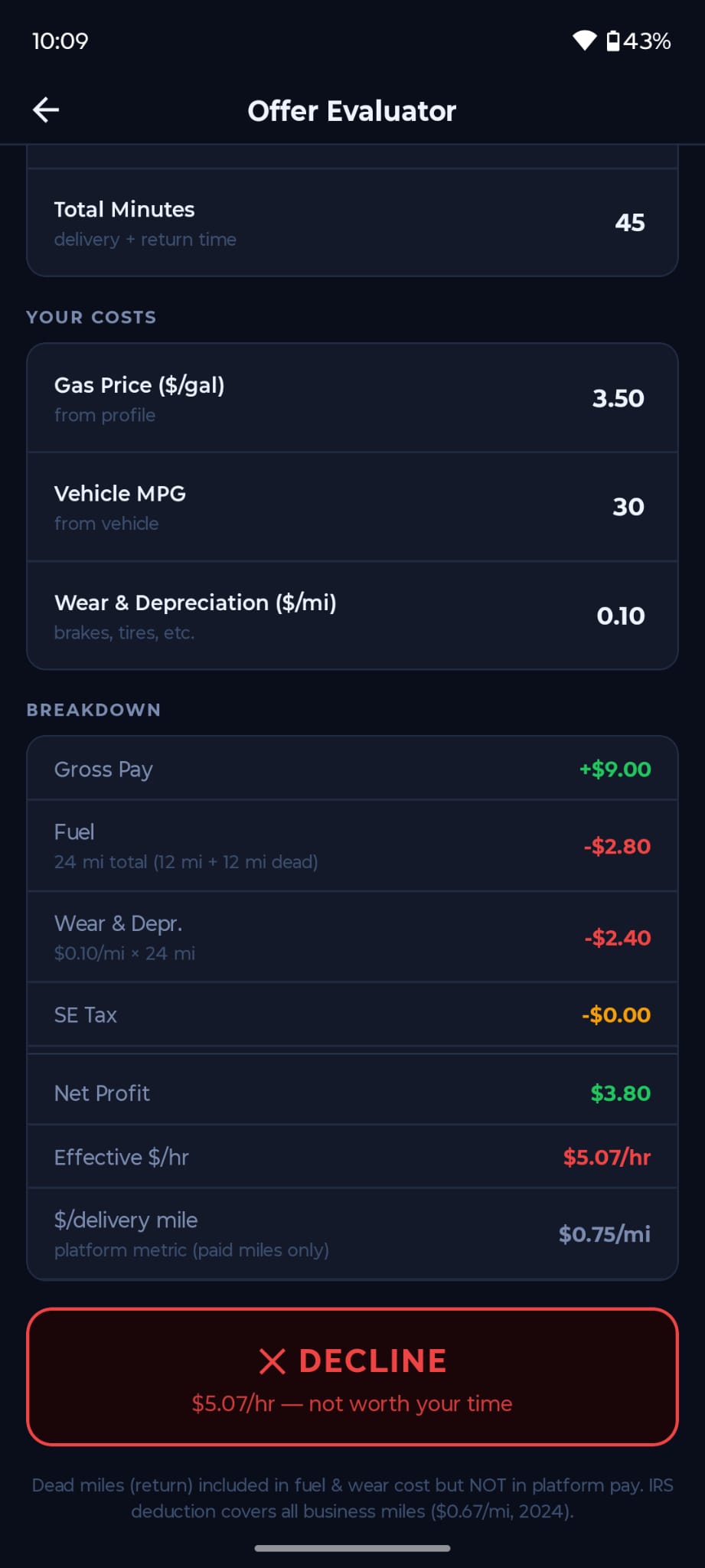
The Offer Evaluator calculates your real net profit for any delivery offer โ€” after fuel, vehicle depreciation, and self-employment tax. It gives you an instant ACCEPT / MARGINAL / DECLINE verdict based on your effective $/hour.
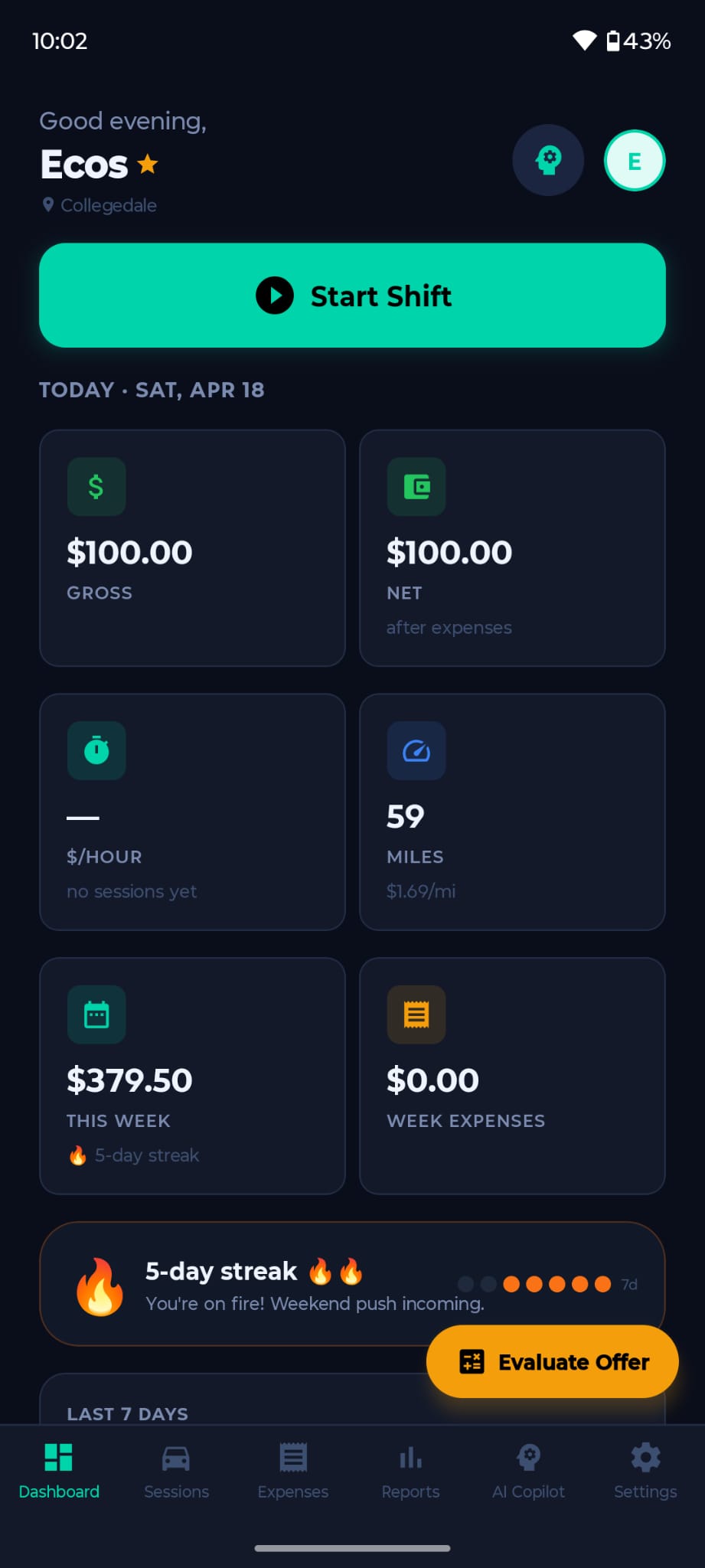
๐Ÿš— Access it from AI Copilot โ†’ Offer Evaluator, or the "Evaluate Offer" button on the dashboard.
What are "dead miles"?
Dead miles are the miles you drive after a delivery โ€” returning to your zone โ€” for which you are not paid. They still cost you fuel and vehicle wear. The app auto-fills dead miles equal to the delivery miles, which you can adjust if you already have another order nearby.
How is the net profit calculated?
Net = Offer Pay โˆ’ Fuel โˆ’ Wear/Depreciation โˆ’ SE Tax

โ€ข Fuel: (total miles / MPG) ร— gas price
โ€ข Wear: total miles ร— $/mi rate
โ€ข SE Tax: ~14.1% of taxable income after IRS mileage deduction

Total miles = delivery miles + dead miles (return trip).
What does ACCEPT / MARGINAL / DECLINE mean?
Based on your effective net $/hour:

โœ… ACCEPT โ€” $15+/hr net
๐ŸŸก MARGINAL โ€” $9โ€“15/hr (consider if slow)
โŒ DECLINE โ€” Under $9/hr
Offer Evaluator
๐Ÿ“Š

Taxes & Reports

Do I need to pay taxes as a delivery driver?
Yes. As an independent contractor you owe:

โ€ข Income tax โ€” federal + state on your net profit
โ€ข SE tax โ€” 15.3% of net SE income (Social Security + Medicare)

Platforms do NOT withhold taxes. You must pay quarterly estimated taxes to the IRS.
What is Schedule C?
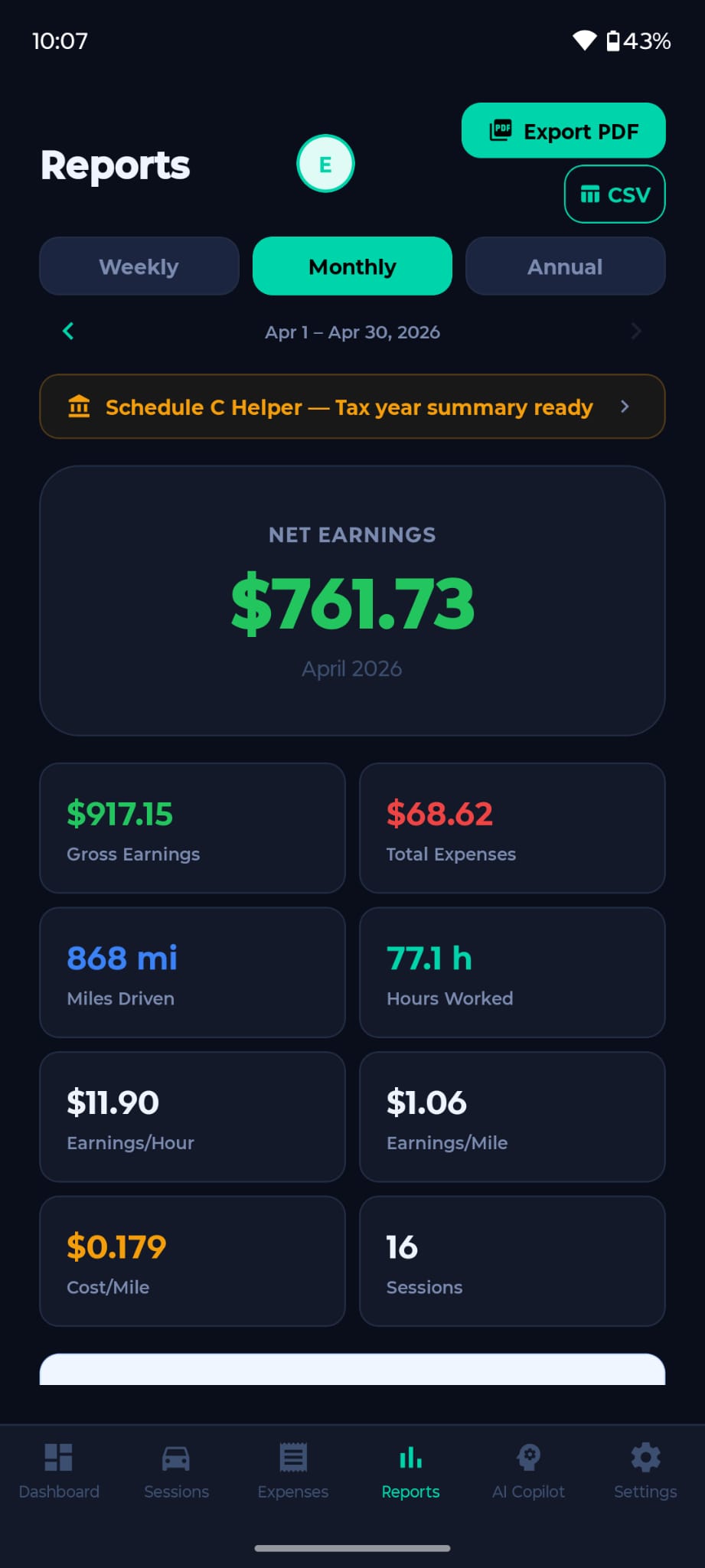
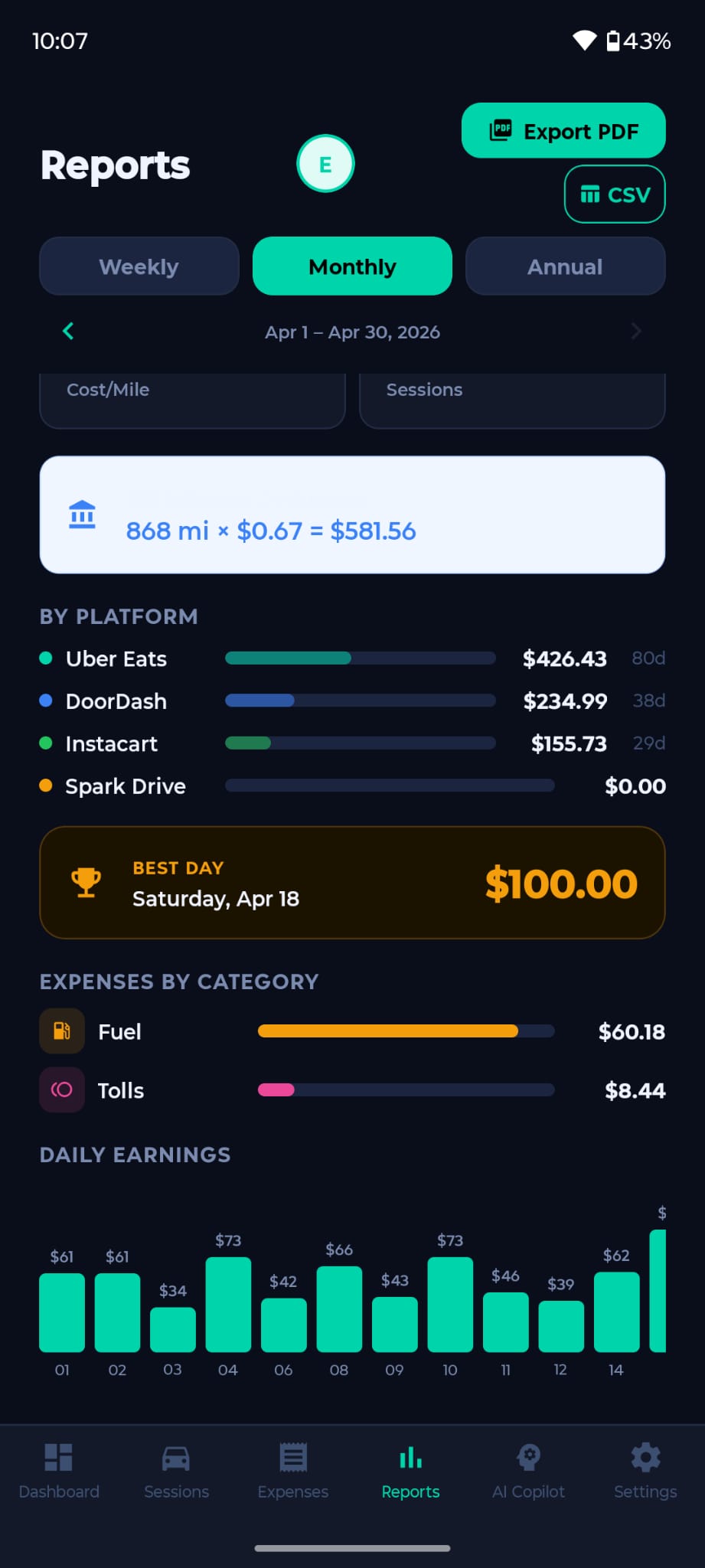
Schedule C (Form 1040) is where you report self-employment income and deductions. Delivery Pro's Reports tab generates a Schedule C summary you can hand directly to your tax preparer.
How much should I set aside for taxes?
A safe rule: set aside 25โ€“30% of every deposit.

Example: You receive $500 โ†’ transfer $125โ€“$150 to a separate savings account immediately. The AI Copilot tracks your quarterly tax balance automatically.
๐Ÿ’ก Open a high-yield savings account (Marcus, Ally) specifically for taxes โ€” earn interest on money you'd set aside anyway.
How do I export my data for my accountant?
Go to Reports โ†’ Export PDF or CSV. Filter by date range, platform, or year. The PDF report is formatted and ready to hand to your tax preparer. (Premium)
Reports Reports Detail
๐Ÿค–

AI Copilot

What does the Situation Meter show?
The Situation Meter compares your current $/hour against your historical average:

๐ŸŸข ON TRACK โ€” At or above your average
๐ŸŸก WARNING โ€” Below average
๐Ÿ”ด CRITICAL โ€” Significantly underperforming โ€” the AI recommends action
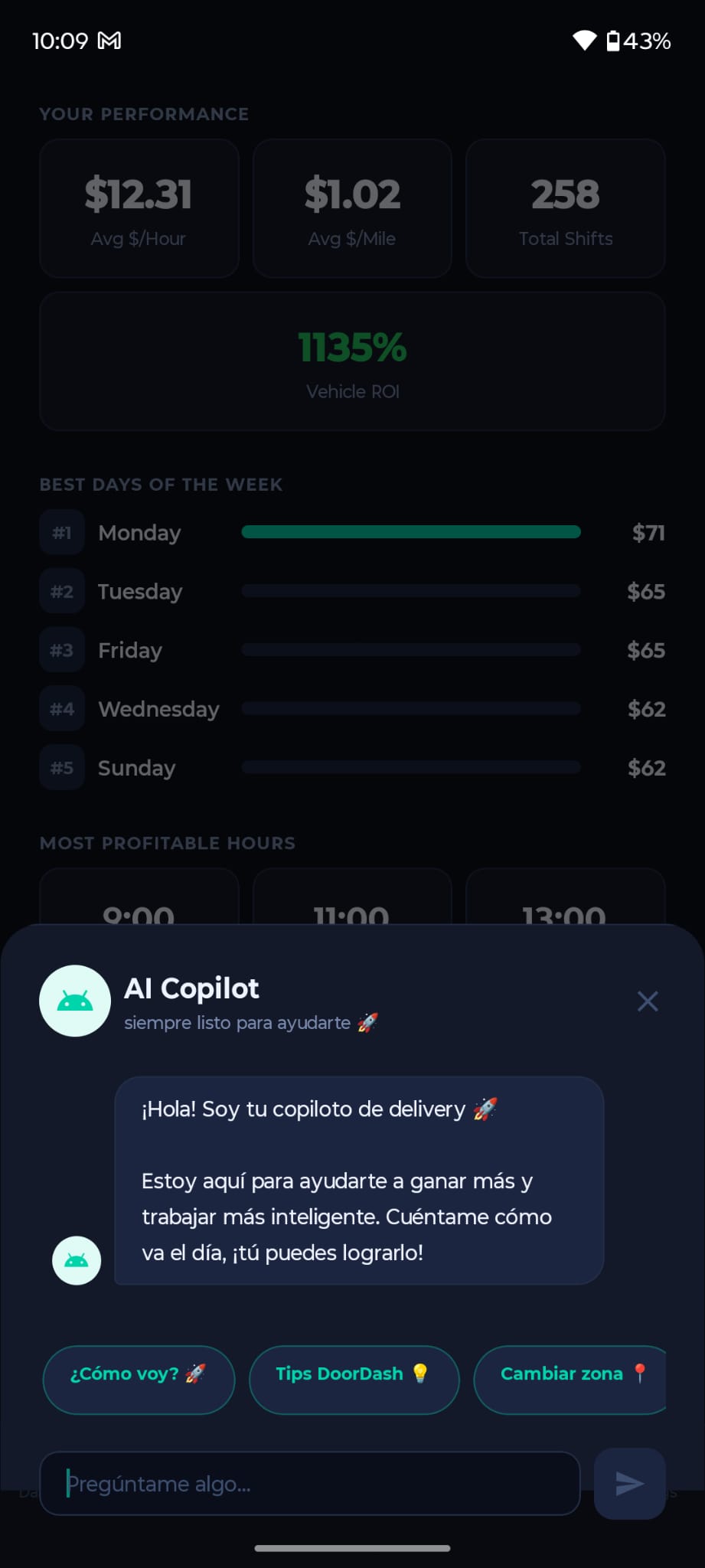
What insights does the AI provide?
The AI analyzes your history and shows:

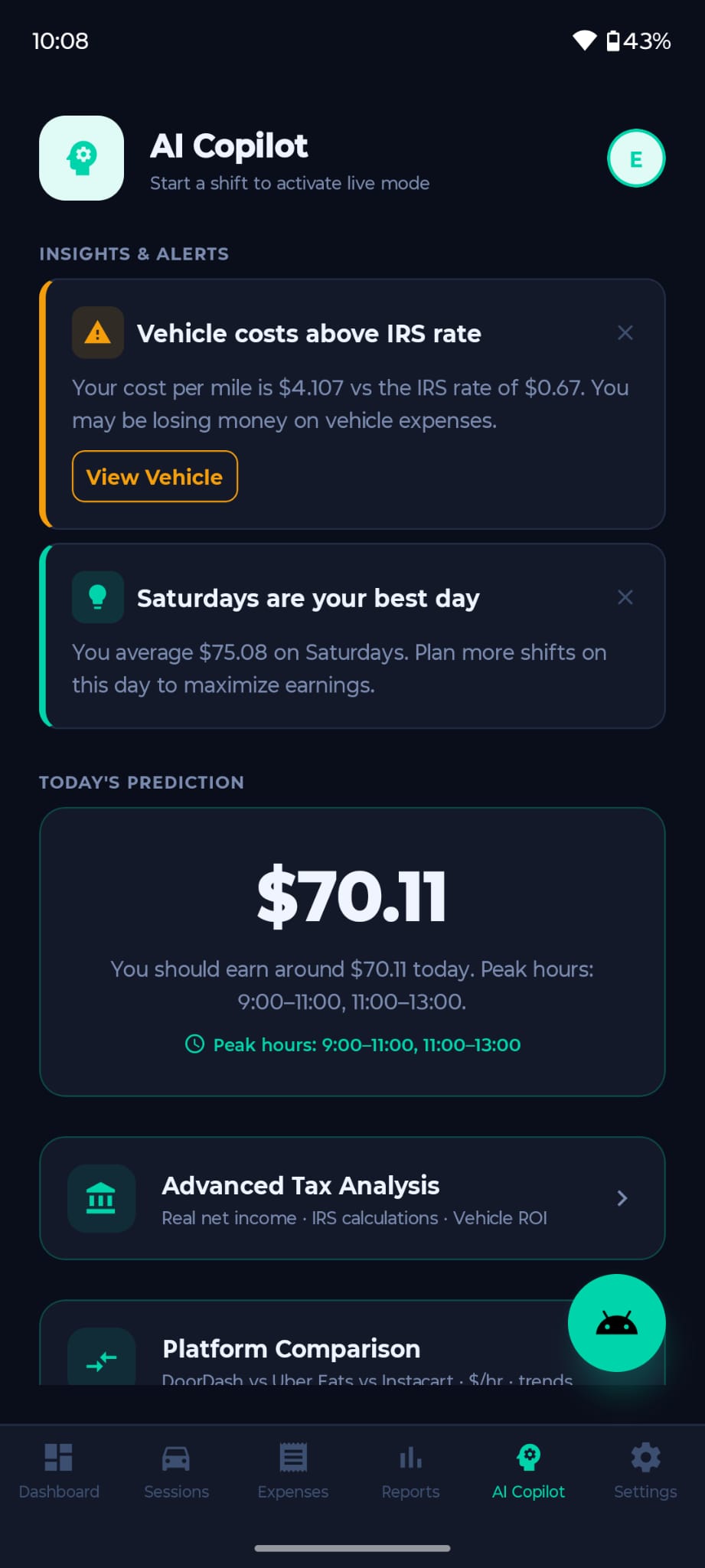
โ€ข Your best day โ€” e.g. "Saturdays you average $75"
โ€ข Vehicle cost alerts โ€” warns if your cost/mile exceeds IRS rate
โ€ข Earnings prediction โ€” estimated earnings for today based on your patterns
โ€ข Peak hours โ€” best time windows to maximize $/hr
How does the AI chat work?
The chat is powered by DeepSeek AI and has access to your live stats. You can ask anything:

"Should I keep going or call it a day?"
"What's my best day and time to work?"
"How much do I need to earn this week to hit my goal?"
What is Platform Comparison? (Premium)
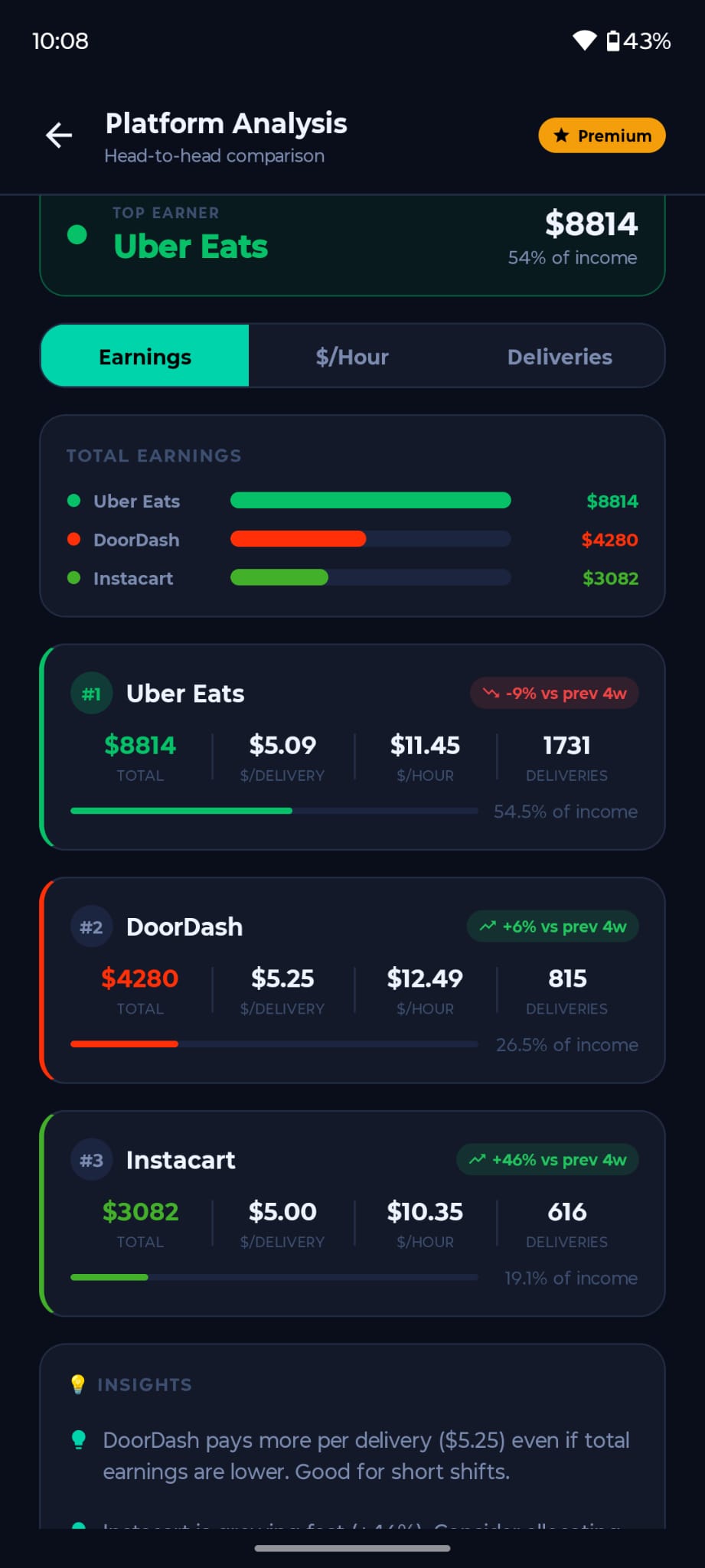
A side-by-side analysis of your earnings across platforms โ€” DoorDash vs Uber Eats vs Instacart โ€” broken down by $/hr, $/mile, and total earnings, so you know which platform is actually worth your time.
AI Copilot AI Chat
โญ

Account & Premium

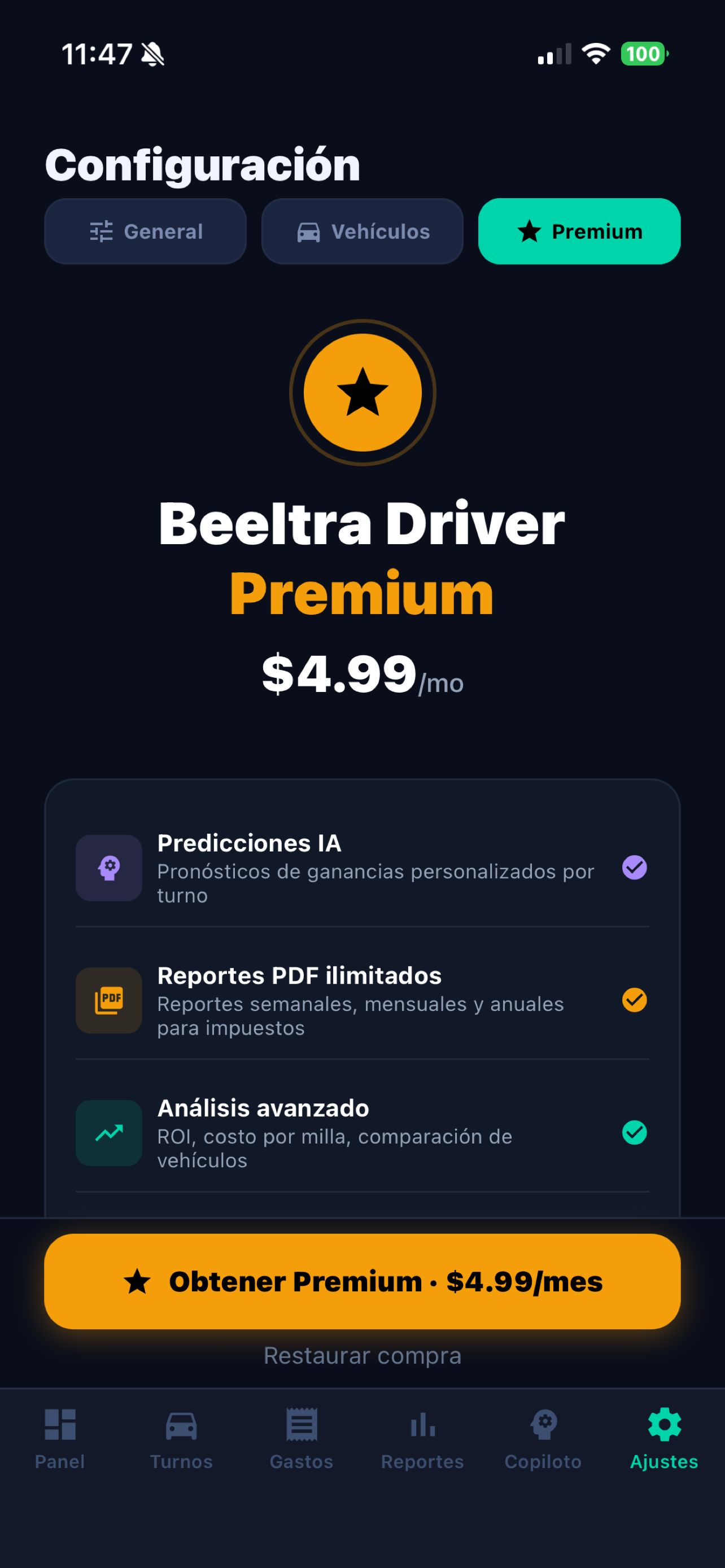
What does Premium include?
Premium unlocks the full power of Delivery Pro:

โœ… AI Predictions โ€” personalized earnings forecasts
โœ… Advanced Tax Analysis & vehicle ROI
โœ… Platform Comparison
โœ… Unlimited PDF Schedule C reports
โœ… Cloud backup & multi-device sync
โœ… Priority support

Start with a 7-day free trial โ€” $4.99/mo after. Cancel anytime.
How do I cancel my subscription?
Android: Google Play โ†’ My subscriptions โ†’ Delivery Pro โ†’ Cancel subscription.

Your Premium access continues until the end of the current billing period.
Is my data private and secure?
Yes. Your data is encrypted in transit (TLS/HTTPS), stored in Google Firebase (SOC 2 compliant), and only accessible to you. We never sell your data. You can delete your account and all data at any time from Settings.
How do I delete my account?
Go to Settings โ†’ Profile โ†’ Delete Account. This permanently removes all your data from our servers. This action cannot be undone.
Premium

Still need help?

Our support team responds within 24 hours, Monday โ€“ Saturday.

โœ•